
Most multi-unit operators evaluate kiosk hardware on upfront cost and feature set. What happens in year four when the payment device falls out of compliance? Or what about year six when the printer manufacturer sunsets the model running across 60 locations? It’s a point that rarely makes it into that conversation.
The kiosk ages. The technology inside it moves faster than the case that houses it. And by the time a component reaches end of life (EOL), the options available to an operator are far more limited than they would have been with a year’s notice. Operators who think about this early have choices. Operators who think about it after something breaks mostly don’t.
A Kiosk Is a Long-Term Operational Asset
A kiosk that goes live today will likely still be physically standing in seven to ten years. The case itself is the most durable part of the system. What changes—on its own timeline, independent of anything the operator controls—is everything inside it.
Jared Epstein, Account Executive at Frank Mayer and Associates, puts it directly: “A kiosk is not just a one-time hardware purchase, rather a long-term operational asset that needs to support years of software updates, payment changes, peripheral refreshes, service requirements, and evolving customer expectations.”
That changes how operators should think about what a kiosk actually costs. The purchase price is the entry point. The real question is what it takes to keep the system running well over the full life of the deployment, and whether the hardware was designed with that in mind.
What End of Life Actually Means Across an Organization’s Fleet
EOL is a layered set of timelines that rarely sync up, and each layer carries its own risk.
Payment devices are the most visible example. EMV compliance, NFC certification, contactless payment standards—these cycles are driven by card brand mandates and security requirements, not by the operator’s schedule. A payment device that was fully certified at deployment can fall out of compliance before the rest of the kiosk shows any signs of wear.
Epstein identifies the full range of components in play: “Payment devices, for example, can move through EOL cycles every few years due to compliance, security, or certification requirements. Printers, scanners, ADA keypads, cameras, and other peripherals can also change over time.”
Each one has its own manufacturer roadmap, its own parts availability window, and its own potential to force a reactive decision if it isn’t tracked ahead of time.
Cybersecurity adds another layer. Older operating systems eventually lose vendor support, which means security patches stop coming. For operators running kiosks that handle payment data or customer information, that’s a compliance exposure that compounds quietly over time.
Modular Design Is the Difference Between a Swap and a Full Replacement
How a kiosk is built determines how much an operator can handle without replacing entire units. The design decisions made before a deployment have direct consequences years later.
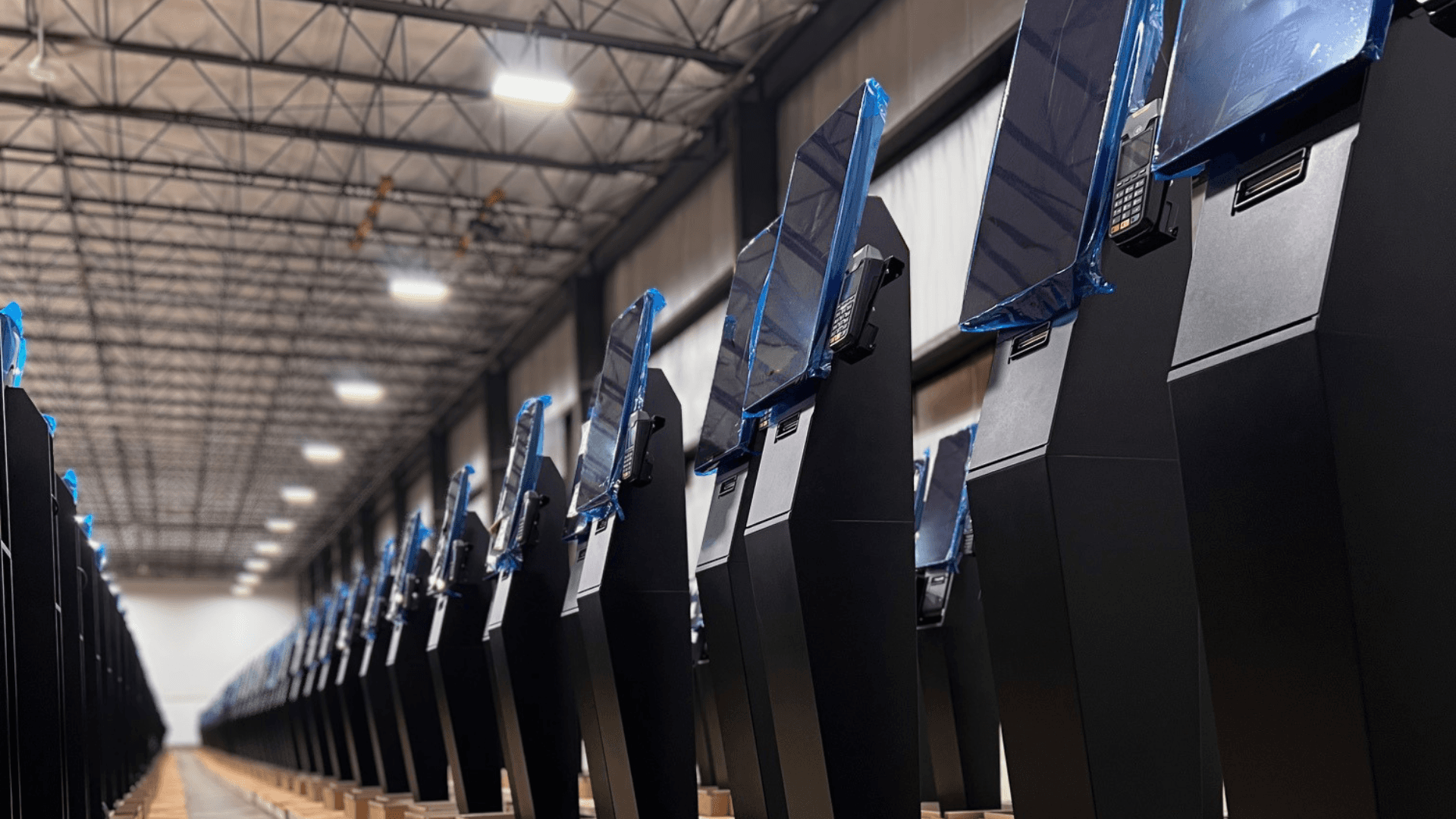
The goal is simple: components that are likely to need replacing before the case does should be installed in a way that lets them be swapped out independently. Epstein describes how Frank Mayer approaches this: “Wherever possible, critical components should be mounted with removable or modular brackets so they can be replaced, upgraded, or retrofitted without requiring an operator to replace the entire kiosk fleet.”
In practice, that means payment devices, printers, scanners, and other peripherals are installed with serviceability in mind, so that replacing one part doesn’t turn into a whole-unit problem. Frank Mayer’s brackets are engineered to accommodate future changes and can typically handle new devices unless the new device is a dramatically different size or shape.
That limit is worth keeping in mind. Modular design reduces exposure, and it works best alongside proactive planning—not as a substitute for it.
Lifecycle Planning Starts at Deployment
The most expensive EOL situations are the ones that come as a surprise. When a component is already discontinued, the options narrow fast: hunt for remaining stock, pay a premium for aftermarket parts, or replace units ahead of schedule. None of those are easy outcomes when they hit across a large fleet at once.
Epstein is direct about when this thinking needs to start: “From the start of a deployment, it is important to identify the products that could potentially go EOL and understand where these products are at in their lifecycle—this helps avoid surprises.”
In practice, that means asking specific questions during vendor selection. What is the manufacturer’s support history on this component? What does their product roadmap look like? What happens to parts availability when this model is discontinued? Are there known successors, and will they fit the current mounting setup?
These are straightforward questions. They just rarely get asked early enough.
“The biggest mistake operators, or kiosk manufacturers, can make is treating EOL planning as something to deal with later,” Epstein says. “By the time a component is discontinued or unsupported, the operator may be forced into a rushed and expensive decision. Designing for that change from day one alleviates that, and selecting reliable components, understanding their lifecycle, and engineering for serviceability will really help save the operator and the kiosk at the end of the day.”
The Software Layer Has to Keep Up
Swappable hardware only solves part of the problem. A component change that triggers a months-long software integration project—or disrupts the guest experience in the process—wipes out most of the value that good hardware design was supposed to deliver.
This is where the kiosk software provider matters just as much as the hardware vendor. Operators should ask the same hard questions of both.
Lea Anne Roberts, SVP of Customer Experience here at Bite, frames it around what’s ultimately at stake: “At the end of the day, a kiosk is a hospitality touchpoint. When hardware starts to degrade—slow screens, unresponsive payment devices, peripherals that fail mid-transaction—it doesn’t just create an operational headache. It breaks the guest experience at exactly the moment you’re asking them to trust the technology. Lifecycle planning is really about protecting that experience for the long haul. The software has to be built to absorb hardware changes without the guest ever feeling the disruption.”
Whether the software works with today’s hardware matters less than whether it’s built to flex when that hardware changes without forcing the operator to replatform, reprice, or retrain staff every time a peripheral cycles out. Bite’s kiosk software is built with that flexibility as a design principle, not a retrofit.
A Framework for Assessing Lifecycle Risk
Before the next deployment decision—or when auditing an existing fleet—these are the questions worth getting clear answers on.
What is the EOL timeline for each major component currently deployed: payment devices, printers, scanners, display hardware, and the underlying OS? Does the hardware vendor offer modular replacement options, and what are the realistic limits when a new device looks significantly different from the old one? What is the manufacturer’s track record on parts availability after a product is discontinued? Is the software platform built to handle peripheral changes without a broader integration project? And is there a multi-year budget that accounts for component refresh—not just the initial purchase?
Operators who work through these questions before signing have options. Operators who surface them after something breaks have far fewer.
Planning for Year Seven Starts on Day One
Kiosk deployments are long-term commitments. The operators getting the most out of them—in throughput, check lift, and guest experience—treat them that way from the start.
Think about serviceability when selecting hardware. Track component timelines before they become urgent. Make sure the software is built to absorb change. The kiosks that perform well in year seven are the ones that were planned for year seven from the beginning.